import torch
from torchvision import datasets
from torchvision.transforms import ToTensor

if torch.cuda.is_available():
    device = "cuda"
elif torch.backends.mps.is_available():
    device = "mps"
else:
    device = "cpu"

print(f"Using {device} device!")Fashion
Assignment
For Fall 2026, the Fashion lab will be used as Lab 06.
- The model portion of the lab is due on Saturday, Dec 12.
Background
No background for this lab!
Scenario and Goal
No scenario for this lab!
PyTorch
Unlike other labs, instead of sklearn, you will be required to use PyTorch.
To install PyTorch and a necessary data package, following the instructions in the Computing Policy to update your virtual environment.
This lab will mostly follow the PyTorch Quickstart guide.
Compute
Completing this lab necessitates access to powerful computational resources.
If your machine does not allow for mps or cuda consider using:
- Illinois Computes Research Notebooks
- Utilize the CS 307 Remote Setup to get started.
- Be sure to select the PyTorch option to utilize a GPU.
Data
The data (and task) for this lab originally comes from Zalando Research.
We will access this data through tools available in pytorch.
Data in Python
The following code can be used to download or re-access the data.
# download training data from open datasets
training_data = datasets.FashionMNIST(
    root="data",
    train=True,
    download=True,
    transform=ToTensor(),
)

# download test data from open datasets
test_data = datasets.FashionMNIST(
    root="data",
    train=False,
    download=True,
    transform=ToTensor(),
)
The first time this code runs, it will create a directory named data (in the same directory of whatever notebook you are working in), place the data there, and load it. After the first time, running this code again will simply read in the downloaded data.
Like MNIST, there are ten classes for the y data, also represented by integers. The following maps, in order, to the integers 0 to 9.
classes = [
    "T-shirt/top",
    "Trouser",
    "Pullover",
    "Dress",
    "Coat",
    "Sandal",
    "Shirt",
    "Sneaker",
    "Bag",
    "Ankle boot",
]
The X data are 28x28 greyscale images of articles of clothing.
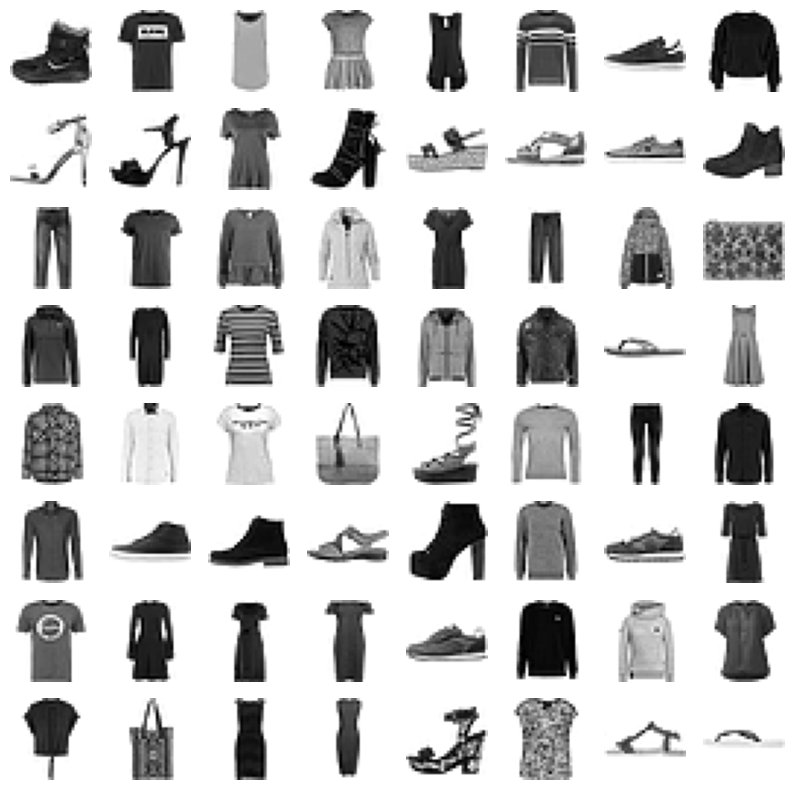
Sample Statistics
Before modeling, be sure to look at the data. Calculate the summary statistics requested on PrairieLearn.
Models
For this lab you will select one model to submit to the autograder. You may use any modeling techniques you’d like, so long as it meets these requirements:
- Models must be built in PyTorch using
nn.Moduleclass. - Your model should be created with
torchversion2.9.1or newer. - Your model should be created with
torchvisionversion0.24.1or newer. - Your model should be serialized to TorchScript.
- Your serialized model must be less than 5MB.
To obtain the maximum points via the autograder, your model must outperform the following metrics:
- Test Accuracy: 0.9
Model Persistence
To submit your model to the autograder, you will first need to serialize your model. With a pytorch model named model, convert it to TorchScript. Then, write this object to disk.
# convert to TorchScript
model_scripted = torch.jit.script(model)

# write to disk
model_scripted.save("fashion.pt")